

Documentation Index
Fetch the complete documentation index at: https://resend.com/docs/llms.txt
Use this file to discover all available pages before exploring further.
What is an API Key
API Keys are secret tokens used to authenticate your requests. They are unique to your account and should be kept confidential. You can use multiple keys to isolate different application actions to different API Keys. This allows you to view logs per key, detect possible abuse, and control any damage that may be done accidentally or maliciously.API key management
You can view and manage your API keys from the API Key Dashboard. You can also create, list, or delete your API keys using the API, or the Resend CLI.View all API Keys
The API Dashboard shows you all the API Keys you have created along with their details, including the last time you used an API Key. Different color indicators let you quickly scan and detect which API Keys are being used and which are not.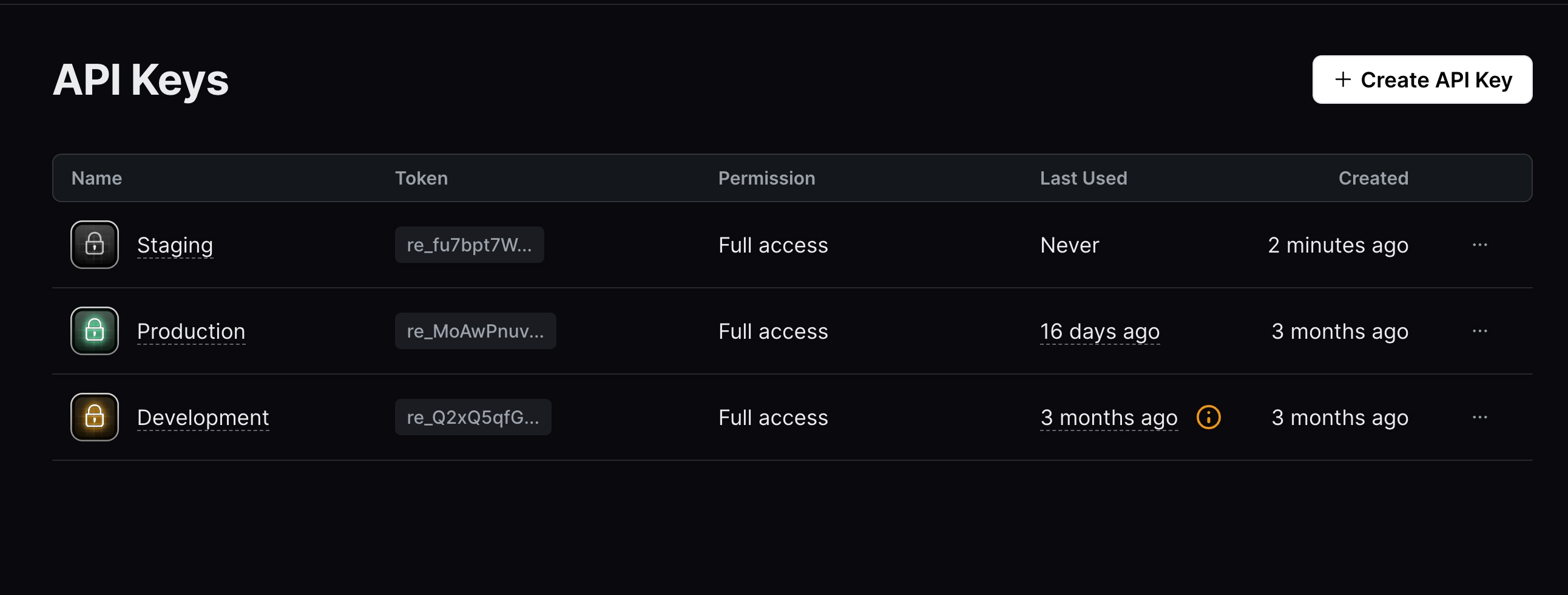
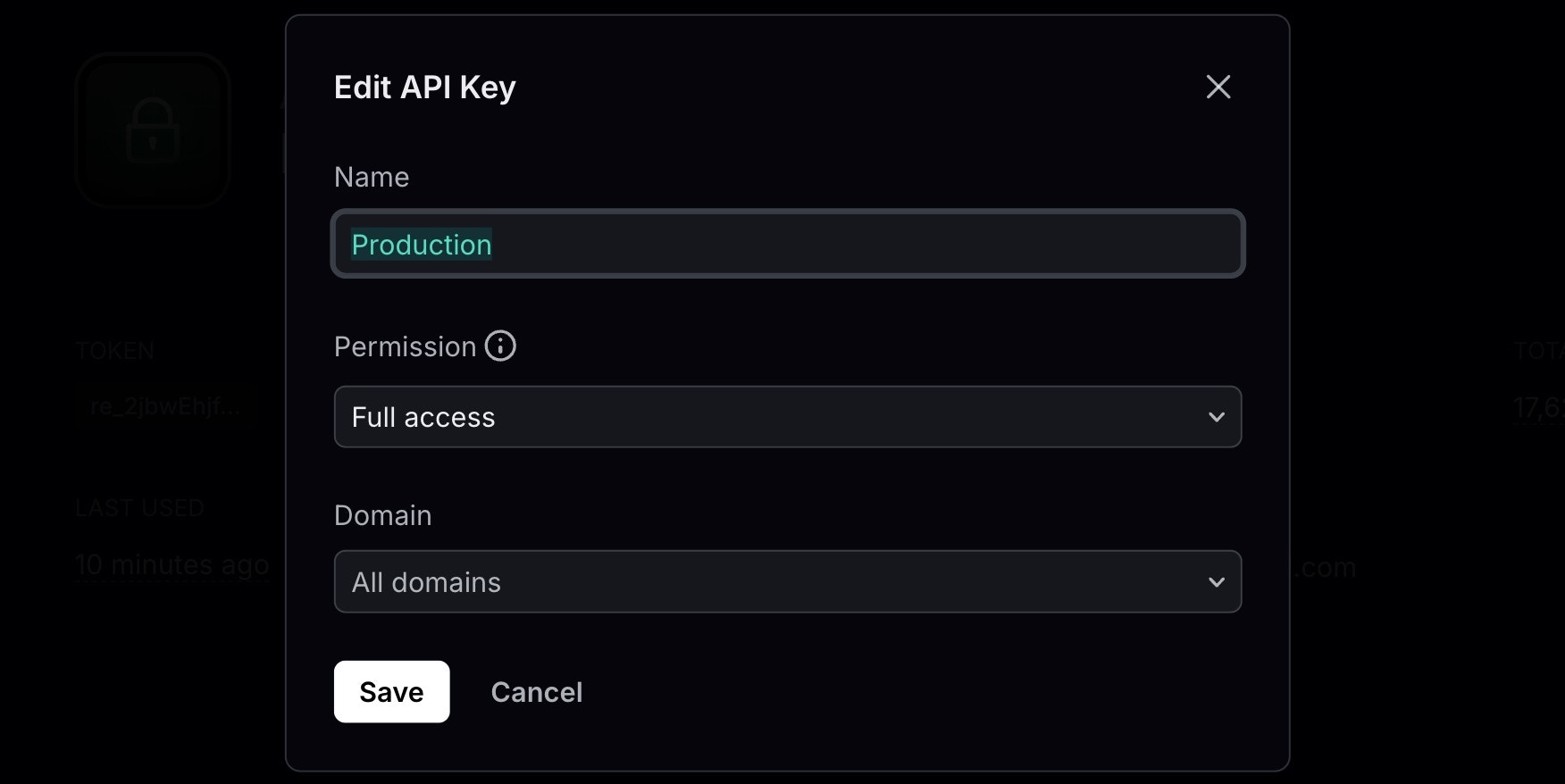
Edit API Key details
After creating an API Key, you can edit the following details:You cannot view or edit an API Key value after it has been created.
Delete inactive API Keys
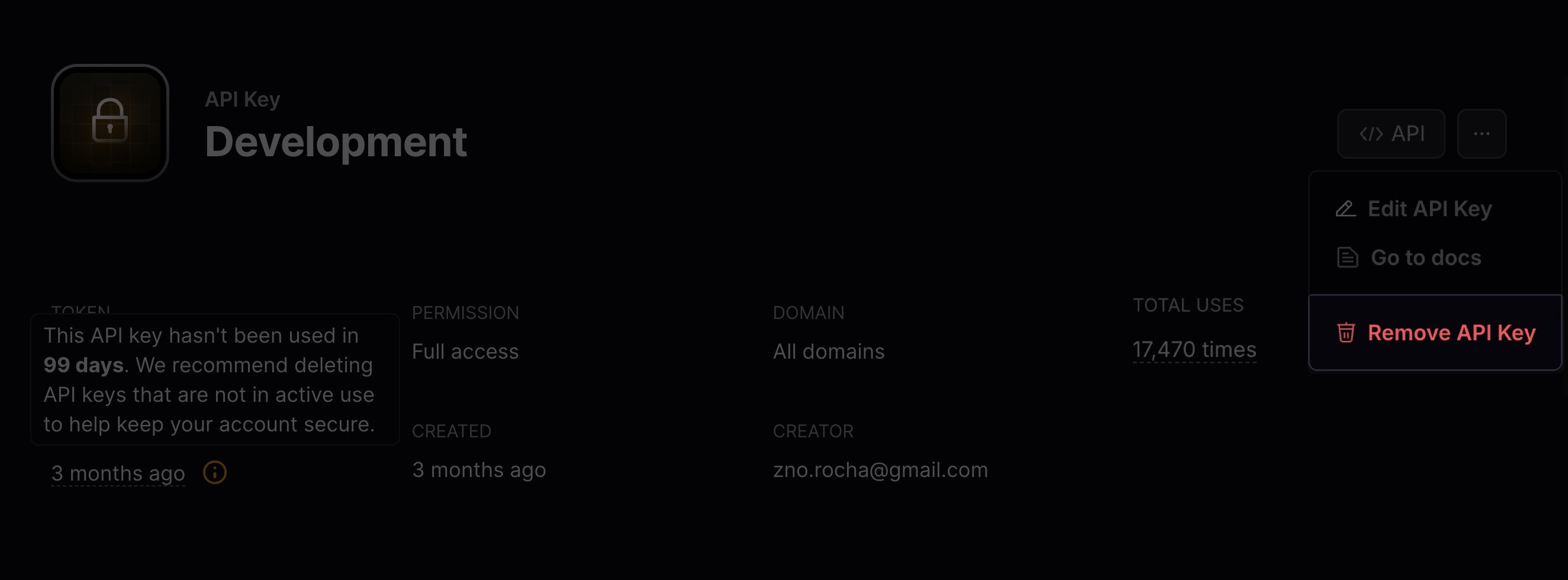
If an API Key hasn’t been used in the last 30 days, consider deleting it to keep your account secure.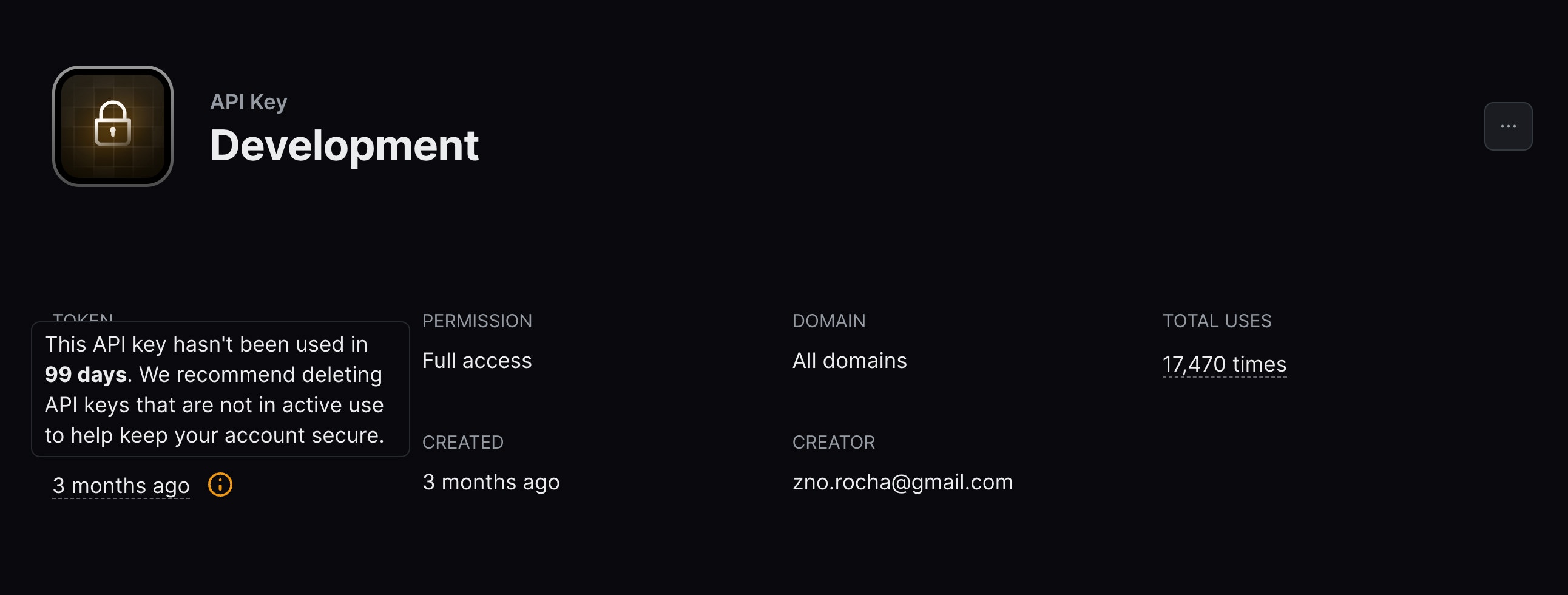
View API Key logs
When visualizing an active API Key, you can see the total number of requests made to the key. For more detailed logging information, select the underlined number of requests to view all logs for that API Key.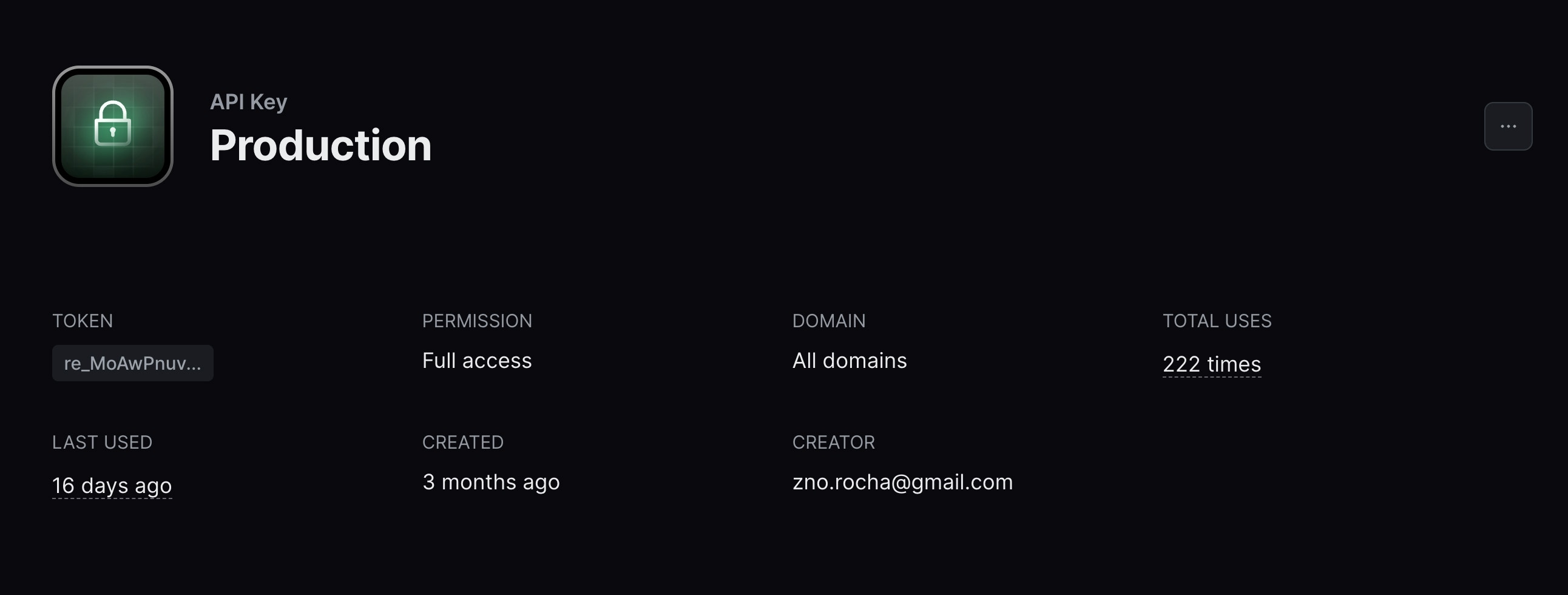
Export your data
Admins can download your data in CSV format for the following resources:- Emails
- Broadcasts
- Contacts
- Segments
- Domains
- Logs
- API keys
Currently, exports are limited to admin users of your team.
All exports your team creates are listed in the
Exports page under Settings > Team >
Exports. Select any export to view its details page. All members of your
team can view your exports, but only admins can download the data.